01
Headset repair
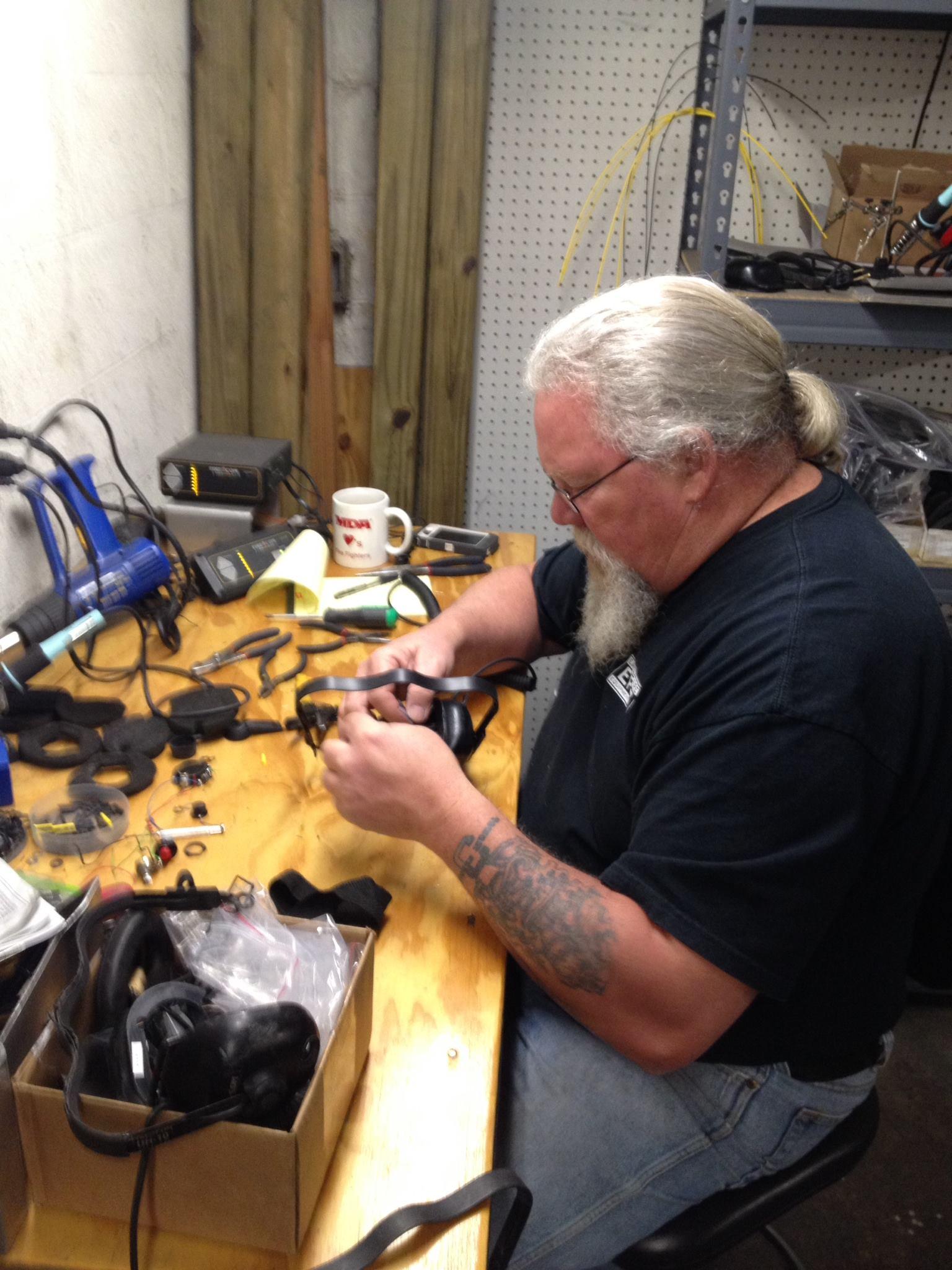
Wired and wireless Firecom headsets evaluated at our Lemoyne shop, from the microphone boom and cable to worn mic muffs, ear seals and batteries.
Shop evaluation
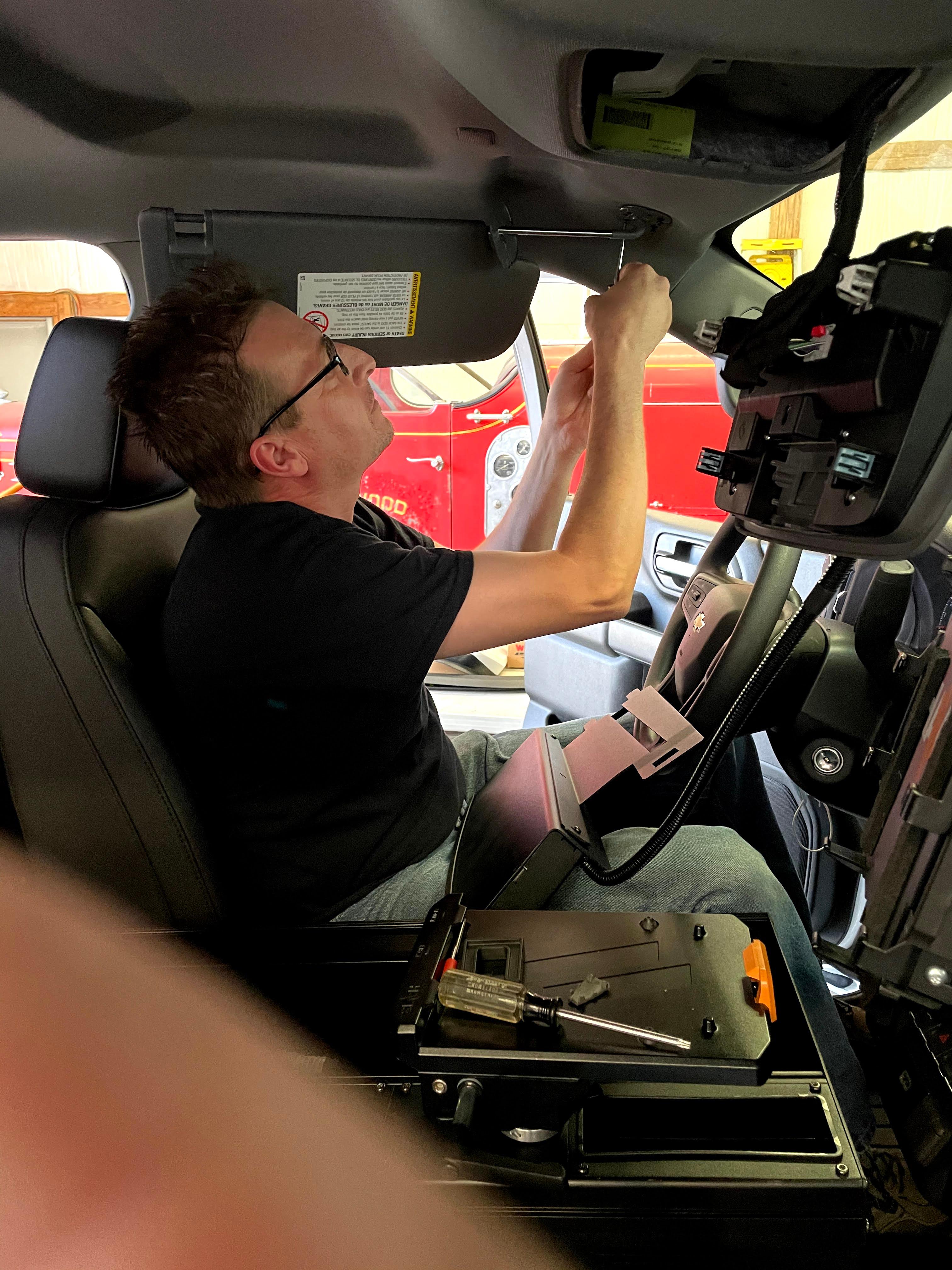
Built & serviced in Lemoyne, PA — by firefighters, since 2009
Firecom service and repair
EFES is an authorized Firecom dealer. We repair wired and wireless Firecom headsets at our Lemoyne, PA shop and troubleshoot installed Firecom systems on the apparatus at fire stations across Pennsylvania, Maryland, and New Jersey. Whether the problem is one headset or communication across the rig, call us with the model and the symptom and we will help you with the next step.
Service scope
A Firecom problem can start at the headset, the headset module, the Wireless Base Station or the radio interface. Start with what the crew is hearing and where it happens.
01
Wired and wireless Firecom headsets evaluated at our Lemoyne shop, from the microphone boom and cable to worn mic muffs, ear seals and batteries.
Shop evaluation
02
Troubleshooting for wired Firecom intercom wiring, headset modules and connections on fire and EMS apparatus.
Installed-system diagnosis
03
Diagnosis of wireless headset pairing and Wireless Base Station connection problems, with the complete system considered when one component does not explain the fault.
Pairing and base stations
04
On-site evaluation of the installed Firecom system, including the mobile radio interface, at fire stations in PA, MD, and NJ when the problem is not isolated to one headset.
PA / MD / NJ mobile service
Firecom troubleshooting
A headset with no audio, a radio that will not transmit, or an intercom that only works at one seating position can look alike from the cab, but each points to a different part of the system.
As an authorized Firecom dealer, EFES evaluates the headset, wiring, wireless pairing or radio interface based on what the crew is experiencing, then recommends shop intake or a station visit in PA, MD, or NJ.
 01
01Equipment / symptom
Diagnostic focus
Service action
Equipment / symptom
Diagnostic focus
Find out whether the fault is in the headset or in the headset jack and connection it plugs into.
Service action
Bench evaluation at the Lemoyne shop, including replaceable parts such as ear seals, mic muffs and batteries, the microphone boom and the cable.
Equipment / symptom
Diagnostic focus
Check intercom operation, in-cab wiring and headset module connections to see whether the fault follows one position or the whole cab.
Service action
Inspect the installed system at a PA, MD, or NJ station, or evaluate a removable component at the shop when appropriate.
Equipment / symptom
Diagnostic focus
Determine whether the problem is headset pairing, the Wireless Base Station, or battery and charging.
Service action
Check pairing and base station operation on site or at the bench, then recommend the next step.
Equipment / symptom
Diagnostic focus
Trace the fault to the radio interface cable, the intercom connection or the mobile radio.
Service action
Inspect the installed apparatus system during a PA, MD, or NJ station visit and document the recommended next steps.
02Before you call
A few details help us decide whether the unit should come to the shop or we should visit the apparatus. They do not need to be exact. Start with what you can confirm.
01
Have the department name, station number and location ready so EFES can confirm whether on-site troubleshooting in Pennsylvania, Maryland, or New Jersey applies.
02
Tell us the apparatus type (engine, aerial, rescue, ambulance, wildland or command vehicle) and the unit number, since Firecom installations vary by apparatus.
03
A sticker on the inside of the right ear muff displays the headset's model and serial number. For an intercom or Wireless Base Station, check the unit. If the equipment may be under warranty, have the proof of purchase (sales receipt) ready.
04
Tell us whether it is no audio, one-way audio, intermittent dropout, pairing failure, a radio that will not transmit, or physical damage to the headset or cable; whether it affects one headset or the whole system; and what you have already tried, such as Firecom's FAQs and Wireless Troubleshooting Guide.
Service process
Service starts with a call about the symptom, whether it is one headset or communication problems across the apparatus. That first conversation tells us which path fits.
01
Call or submit a request with the department, apparatus, Firecom model and what is happening. Say whether it affects one headset, one position or the installed system.
02
A damaged, loose or single-headset problem can be evaluated at the Lemoyne shop. Intermittent or system-wide problems on an apparatus in Pennsylvania, Maryland, or New Jersey may call for an on-site visit. EFES will confirm which.
03
A technician evaluates the headset or installed system, identifies the affected part where possible, and explains the findings and the recommended next step. Firecom's two-year limited warranty requires that warranty work be performed by Firecom, with an RMA number, proof of purchase and only the defective components returned.
Service logistics
Division
Headset / shop intake
Contact
Lemoyne service team
Logistics
Ship or coordinate intake at 440 Oak Street, Lemoyne, PA 17043
Scheduling
Call (800) 504-2044 before sending equipment
Division
Mobile apparatus troubleshooting
Contact
Mobile service team
Logistics
Station visits for installed Firecom systems in PA, MD, and NJ
Scheduling
Contact EFES to confirm location and availability
Firecom service questions
Questions before you request service
EFES provides on-site troubleshooting at fire stations in Pennsylvania, Maryland, and New Jersey, where a technician can inspect the installed Firecom system on the apparatus. Departments outside that area can contact EFES about sending headsets or removable components to the Lemoyne shop.
A single damaged, loose or non-functioning headset can usually start with shop evaluation. If the problem follows the apparatus rather than one headset, such as several positions losing audio or wireless pairing dropping repeatedly, a station visit lets a technician inspect the installed system. Describe the symptom and EFES will recommend a path.
Yes. EFES troubleshoots wired intercom systems, 50-Series Wired Headsets, 500-Series Wireless Headsets and Wireless Base Stations on fire and EMS apparatus. Wired and wireless faults need different checks, so the model and symptom help us choose the path.
Firecom intercoms and headsets come with a two-year standard limited warranty from the date of purchase, and Firecom honors it regardless of who performed the installation. It applies to new products sold through authorized channels and does not cover replaceable and consumable parts, such as batteries. All warranty work must be performed by Firecom, and the warranty is void if the purchaser attempts to repair or alter the product. Call EFES with your proof of purchase before you send anything.
Intermittent audio, dropped pairing or one-way communication can start at several points, including the headset connection, wiring, battery, Wireless Base Station or radio interface. When the fault is not isolated to one component, evaluating the installed system on the apparatus is often the most useful next step.
Support varies by model, parts availability and condition, and not every older or damaged unit can be repaired. Give EFES the model number and symptom before sending equipment so we can confirm the right path.
Firecom service support
Tell us the department, apparatus and symptom, and we will help work out whether the problem is the headset or the installed system. EFES will confirm whether shop intake or an on-site visit in PA, MD, or NJ makes sense.